Dual camera recording for iPhone · iOS 16+

Any 2 lenses.
Any orientation.
One take.

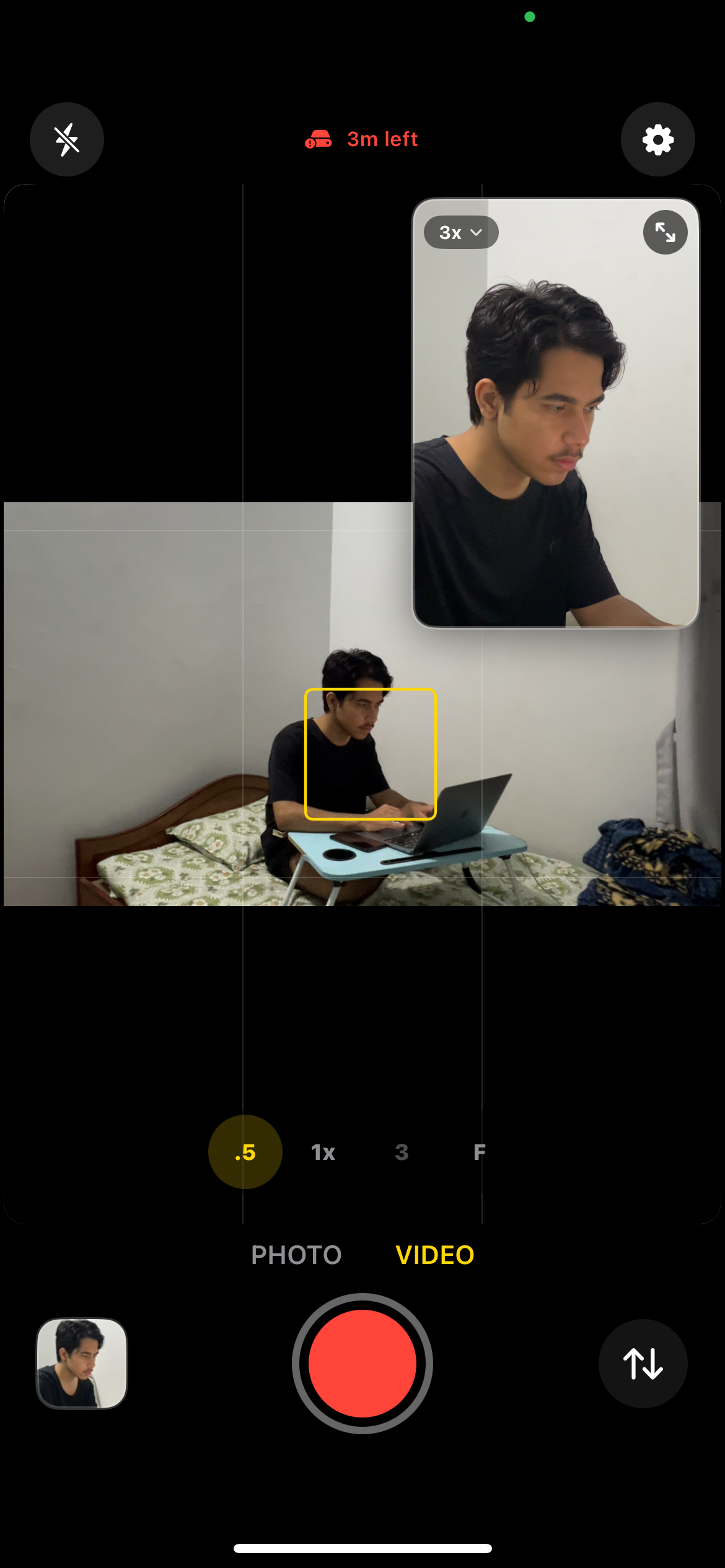
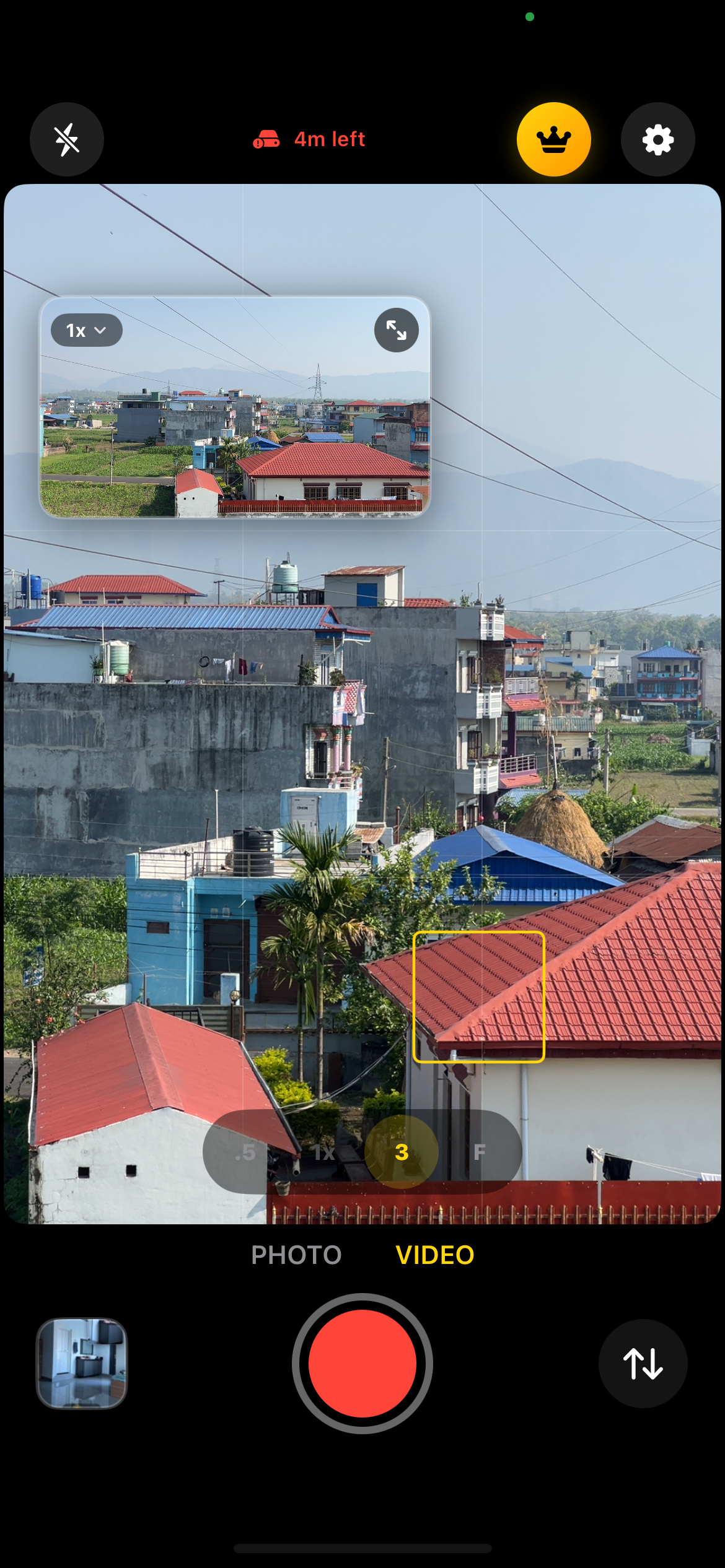
DoubleFrame records from two iPhone cameras simultaneously. Pick any lens pair, set each to portrait or landscape independently, tap once, get two perfectly synced files.
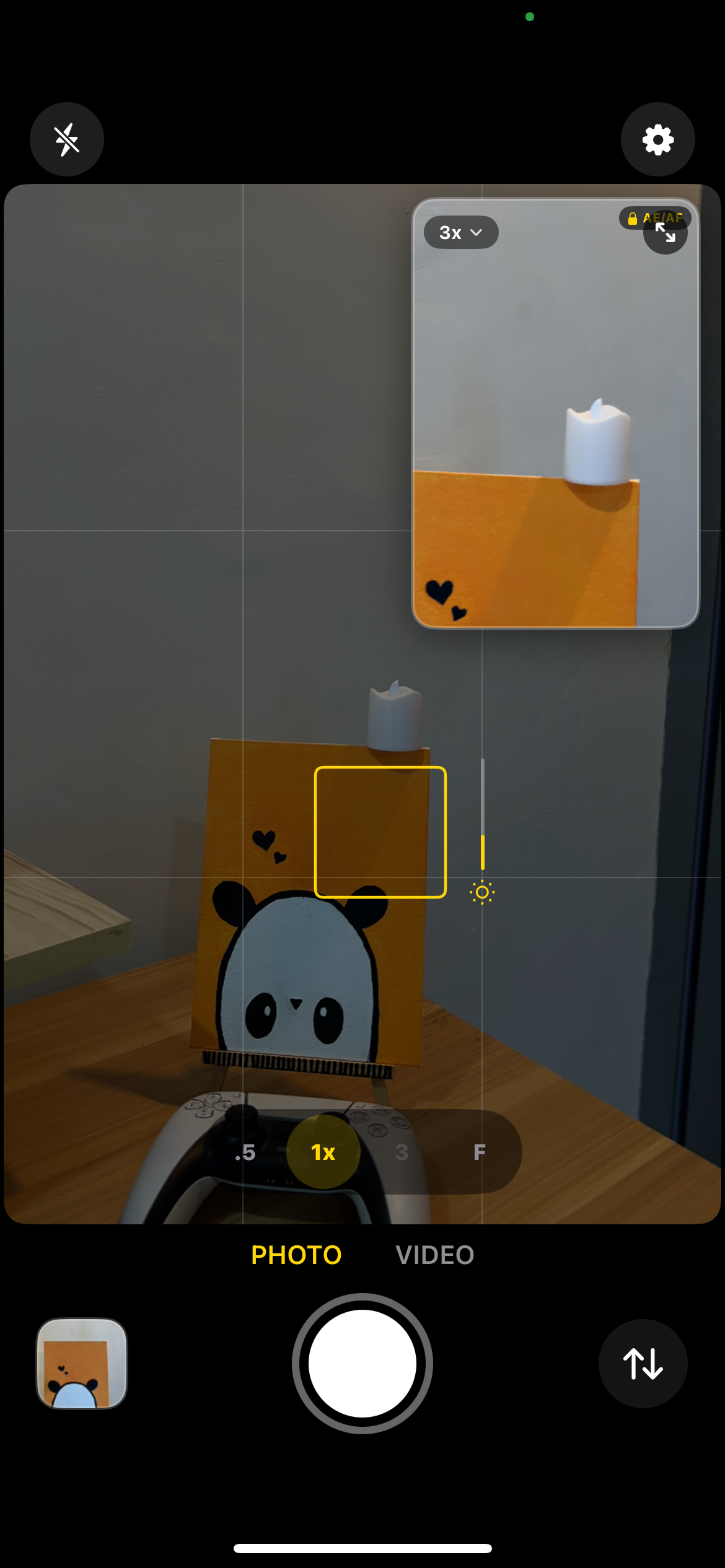
DoubleFrame showing independent focus and exposure on each lens
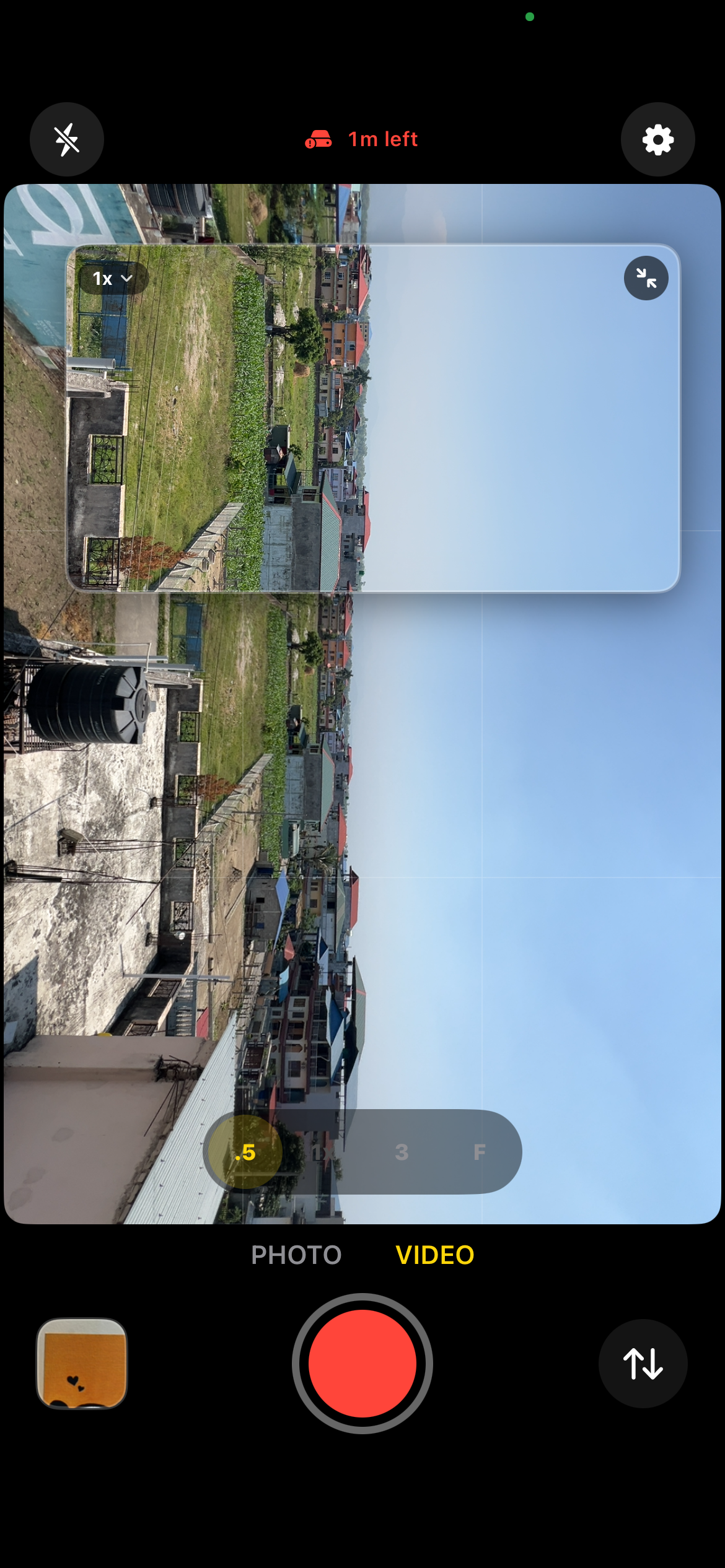
DoubleFrame recording portrait and landscape simultaneously
DoubleFrame multishot mode with front and back cameras
DoubleFrame lens pair selection

One scene. Two setups.

Independent focus & exposure per lens

Portrait + Landscape

Any orientation, same instant

Multishot for filmmakers

B-roll, A-roll, front + back, one tap

Any lens pair

Wide · Ultra wide · Telephoto · Front

The problem

You're filming
the same moment twice.

TikTok wants 9:16. YouTube wants 16:9. So you either film vertically then horizontally (and hope the moment doesn't move), crop in post and lose half your frame, or ignore one platform entirely. DoubleFrame fixes this at the hardware level — two cameras, one tap, two files ready to upload.

Any combination

Pick your pair.
Pick your angles.

Other dual camera apps lock you into one portrait + one landscape and call it a day. DoubleFrame lets you set orientation independently for each camera, so every possible combination works. Film two verticals for TikTok carousels, two horizontals for multi-angle interviews, or mix them for cross-platform in one take.

9:16 + 9:16

Both portrait · TikTok & Reels

9:16 + 16:9

Mixed · TikTok + YouTube

16:9 + 9:16

Mixed · Vlog + establishing

16:9 + 16:9

Both landscape · Multi-angle YouTube

How it works

Three steps.
Zero hassle.

No accounts. No cloud. No export step. Just open, pick your cameras, and hit record.

01

Pick Your Lenses

Choose any two cameras — wide + ultra wide, wide + telephoto, ultra wide + telephoto, or any rear camera + front. DoubleFrame detects every lens your iPhone has and shows every supported pair.

02

Set Orientation

Tap to set each camera independently to portrait (9:16) or landscape (16:9). Both vertical, both horizontal, or one of each. Your choice.

03

Hit Record

One tap starts both cameras. Stop, and two separate synced files save directly to your Photos library. No editing. No exporting. Upload and go.

Lens combos

Every lens.
Every pair.

DoubleFrame detects every lens on your iPhone and lets you pair any two. Ultra wide, wide, telephoto, 5× zoom, front camera — any combination your hardware supports.

.5×

Wide + Ultra Wide

The default — two angles, two formats in one take

Wide + 5× Telephoto

Cinematic close-up paired with a wide establishing shot

.5×

Ultra Wide + 5× Tele

Maximum range — panoramic to extreme zoom

Front

Wide + Front

Perfect for vloggers and reaction content

Front

5× Tele + Front

Interview style — tight subject with talking head

Any + Any

Every lens your iPhone has. Every possible pair. You choose.

Built for creators

Ship to every platform
in one take.

DoubleFrame is designed for creators who can't afford to miss a moment. Pick the workflow that matches yours.

📱

TikTok + Reels + Shorts

Film vertical with wide (1×) and you've got a clean 9:16 crop without the ultra-wide distortion. Pair it with landscape for YouTube in the same take.

🎬

YouTube Filmmaking

Wide establishing + telephoto close-up at the same time. Cut between two angles without a second camera or second take.

🎙️

Reaction & Vlog

Back camera on the subject, front camera on you. Both recording to separate synced files so you can edit reactions without juggling apps.

🏠

Real Estate

Ultra wide for room context + wide for detail shots. One walkthrough, two deliverables, no cropping.

🎓

Tutorials & Courses

Wide on the workspace + front on your face. Teach once, publish everywhere — no post-production sync work.

Live Events

You only get one take. Capture the moment from two angles simultaneously so you don't miss the shot that matters.

Head to head

How DoubleFrame compares.

There are other dual camera apps on the App Store. Here's where DoubleFrame is different — and where it isn't.

Feature DoubleFrame DualShot Recorder DoubleTake 2Cam / PiP apps
Any lens pair Wide, ultra wide, tele, front Wide + ultra wide only Wide + ultra wide or tele Front + back usually
Independent orientation 9:16 or 16:9 per camera Locked 9:16 + 16:9 Single combined file Locked layouts
Two separate files Two synced files Two synced files Single combined file Usually composite
4K recording Up to 4K @ 60fps Up to 4K @ 60fps Varies Varies
Pricing $6.99 one-time $9.99 one-time Free (Apple) Free + subscription
Subscription Never Never Never Often required

Comparison as of April 2026 · Features may change · Not affiliated with DualShot Recorder, DoubleTake, or 2Cam

What you get

Built for creators
who ship daily.

Everything you need. Nothing you don't.

📱

Independent Orientation

Set portrait or landscape per camera. Mix and match however you want — both vertical, both horizontal, or one of each.

🎬

Frame-Perfect Sync

Both files share identical timestamps, frame for frame. No drift. No alignment needed in post.

Instant Save

Files save directly to your Photos library the moment you stop recording. No export step. No waiting.

🎯

4K & HDR

Record at 1080p or 4K. 24, 30, or 60 fps. HEVC HDR on compatible devices. MOV for Final Cut or MP4 for quick sharing.

🎚️

Pro Controls

Tap to focus on either camera. AE/AF lock. Exposure compensation. Real-time lens switching between takes.

📸

Dual Photo Mode

Same two-lens flexibility for stills. Capture a wide shot and a detail shot at the exact same moment — great for real estate, product shots, and documentary work.

🔒

No Cloud. No Ads.

Your footage never leaves your device. No account required. No ads. We only collect anonymous usage analytics to improve the app.

🛡️

Your footage stays on your device.

DoubleFrame records and saves videos locally on your iPhone. We collect anonymous usage analytics to improve the app, but we never access, upload, or share your videos. No accounts. No ads. See our Privacy Policy for full details.

One price. One time.
Yours forever.

No subscriptions. No recurring charges. Ever.

Questions, answered.

Can you record from two iPhone cameras at the same time?
Yes. DoubleFrame records from two iPhone cameras at the same time and saves two perfectly synced video files from any supported lens pair — wide, ultra wide, telephoto, or front — on iPhone XS or newer.
How do I record portrait and landscape video at the same time on iPhone?
Open DoubleFrame, pick two lenses (for example wide + ultra wide), set one camera to 9:16 portrait and the other to 16:9 landscape, and tap record. When you stop, both files save to your Photos library — one vertical for TikTok or Reels, one horizontal for YouTube. Full step-by-step in our guide.
What makes DoubleFrame different from DualShot Recorder?
DualShot Recorder's dual-lens mode is locked to wide + ultra wide, and the orientation is fixed to one portrait + one landscape. DoubleFrame supports any lens pair your iPhone offers and independent orientation per camera, so you can record both portrait, both landscape, or any mix. Full comparison in our DualShot alternative guide.
Which iPhones support dual camera recording?
Any iPhone with an A12 Bionic chip or later — iPhone XS (2018) and newer. DoubleFrame requires iOS 16 or later. The exact lens pairs available depend on your model. See our full compatibility list.
Does DoubleFrame record in 4K?
Yes. DoubleFrame supports up to 4K resolution at 24, 30, or 60 fps. HDR (HEVC) is also supported on compatible devices. Note that recording two 4K streams at 60fps is demanding and may cause the phone to warm up on longer sessions — 1080p at 30fps is the most reliable setting for extended recording.
Is DoubleFrame a subscription?
No. DoubleFrame is a one-time $6.99 unlock. No subscription, no recurring charges, no hidden fees. You buy it once and it's yours forever, including all future updates.
Can I record from the front and back camera at the same time?
Yes. DoubleFrame supports any rear lens paired with the front camera — ideal for reaction videos, vlogging, and interviews. Both streams record to separate synced files so you can cut between angles in post.
Are the two video files actually in sync?
Yes. Both files share identical timestamps, frame for frame, because they're captured on the same iPhone at the exact same moment. There is no drift and no alignment work needed in post-production.
How much storage does dual camera recording use?
Roughly double single-camera recording. At 1080p 30fps, expect about 250 MB per minute for both files combined. At 4K 30fps, expect about 700 MB per minute. DoubleFrame shows you an estimated recording time based on available storage before you start.
Does DoubleFrame work with the iPhone 17 dual capture feature?
The iPhone 17's native dual capture in the stock Camera app outputs a single combined picture-in-picture file. DoubleFrame is different: it outputs two completely independent, synced files — ready for separate upload to different platforms without any editing.
Can I take photos from two lenses at the same time?
Yes. DoubleFrame has a dedicated photo mode that captures a still from each of the two chosen lenses at the same instant. Great for real estate (wide room shot + detail shot), product photography (context + close-up), and documentary work. Supports HEIF and JPEG, with photo quality prioritization and depth capture on supported devices.

Stop filming twice.

Any 2 lenses. Any orientation. One take.

Download on the App Store